
Windows Installation, Jekyll - Static Site Generator

Prerequisites Required
- Ruby version 2.5.0 or higher
- RubyGems
- GCC and Make
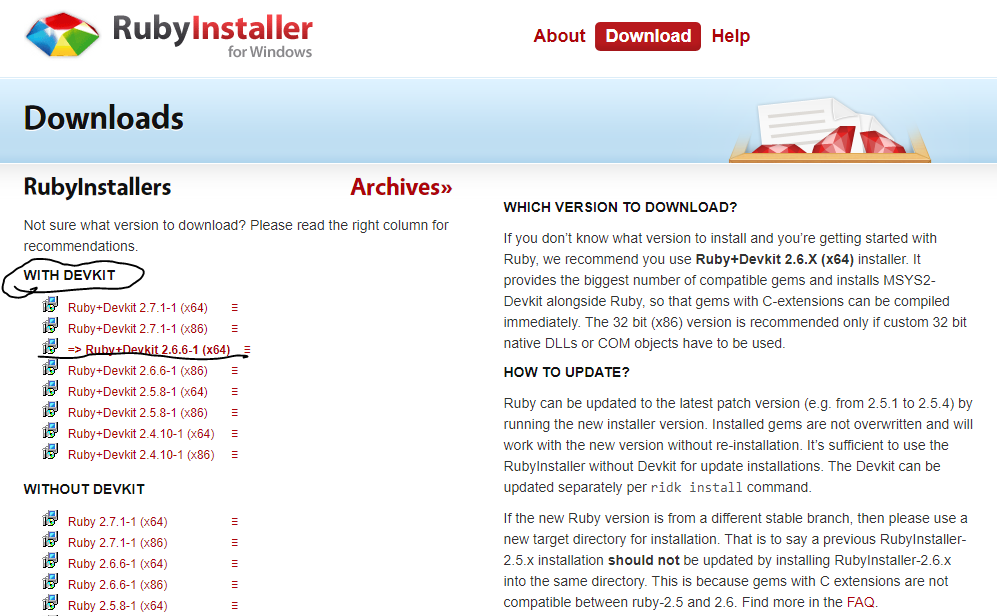
Step 1 : Download Ruby Installer
Go to the official site of Ruby and download Ruby version 2.5.0 or higher. And make sure that you download the ruby “WITH DEVKIT”.(Ruby)
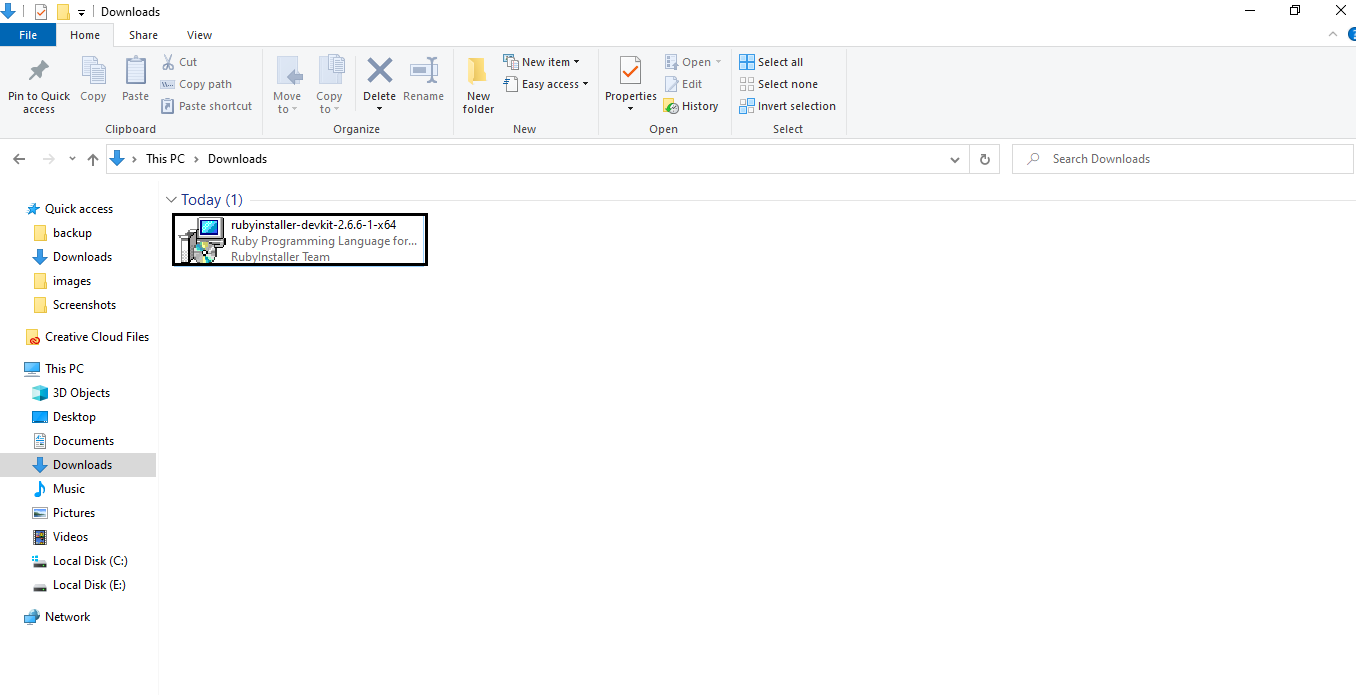
Step 2 : Run Ruby Installer
- Browse the location of “Ruby Installer” and then run the setup by double clicking it.
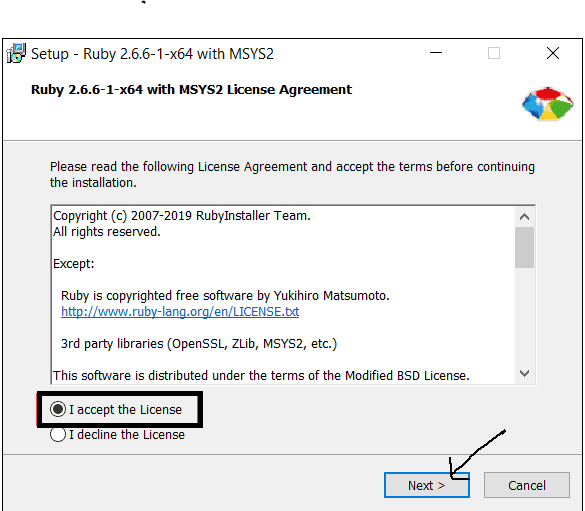
-
Accept the Terms and condition and click “Next”.
- Select the Installation destination and then click “Install”
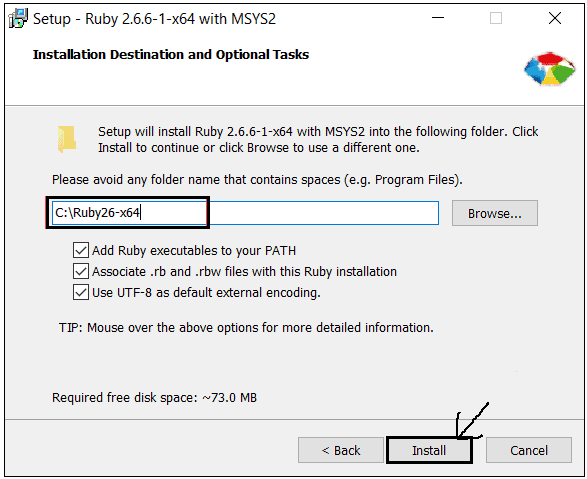
-
Makes sure “MSY2 development toolchain” is checked and then click “Next”
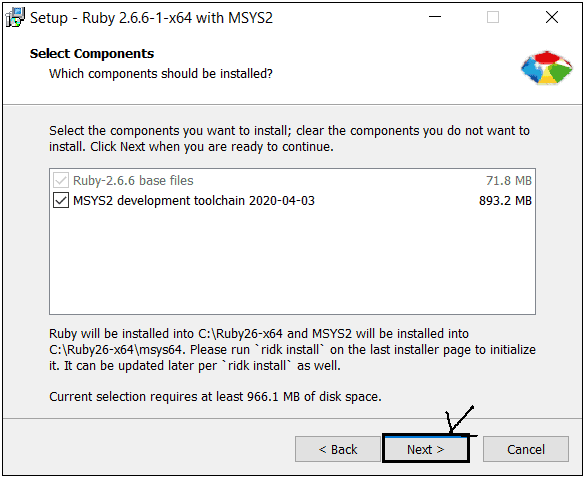
-
By default “Run ‘ridk install’ to setup MSYS2 and development toolchain” is checked . Leave this checked and then click “finish”.
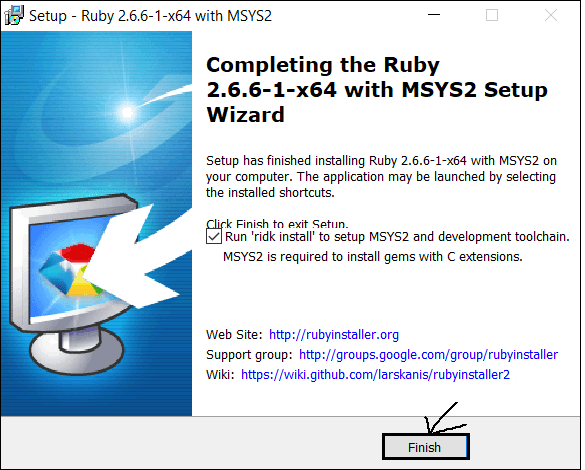
-
A black command line labelled as “Ruby Installer 2 for windows “ provides three different option to be installed. Select the components to be installed and if unsure then install both 1 and 3.
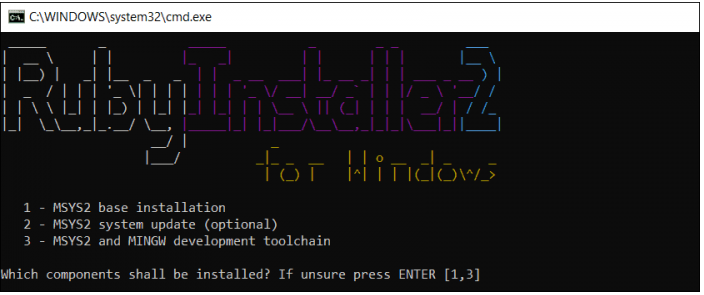
- Once you are done with all installation, please close the installer.
Step 3 : Verify the Ruby version
Open the terminal and run command ruby -v.
If the system shows your installed ruby version then you are good to go.
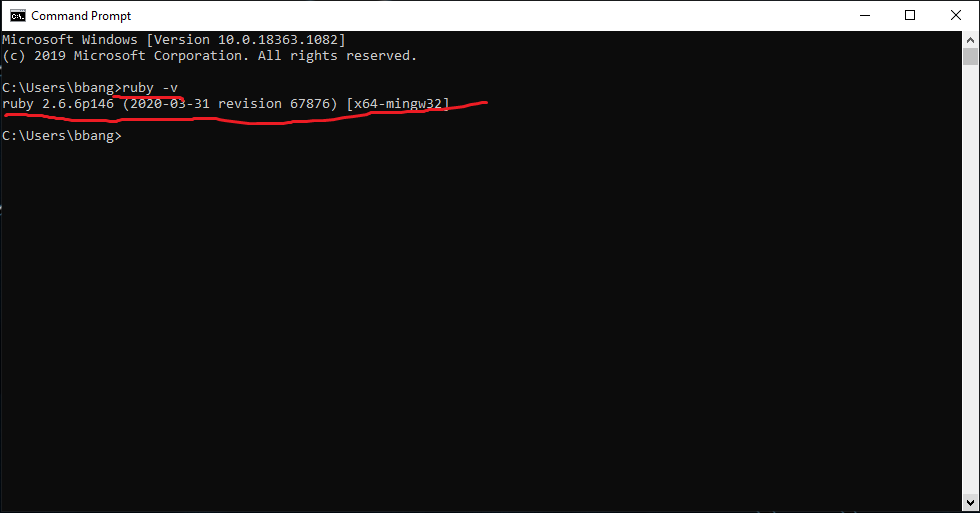


Leave a comment